Antenna Rotor Control
for N1MM Logger

Runs on any Debian-based Linux system — a Raspberry Pi is a great fit. Control up to 16 rotors over your network. Protect your antennas automatically when storms hit. See live VOACAP propagation under every compass.

Explore Features Read the Docs Download
16
Max rotors
6
Wind sources
48h
Wind history
BFT 0–12
Storm scale

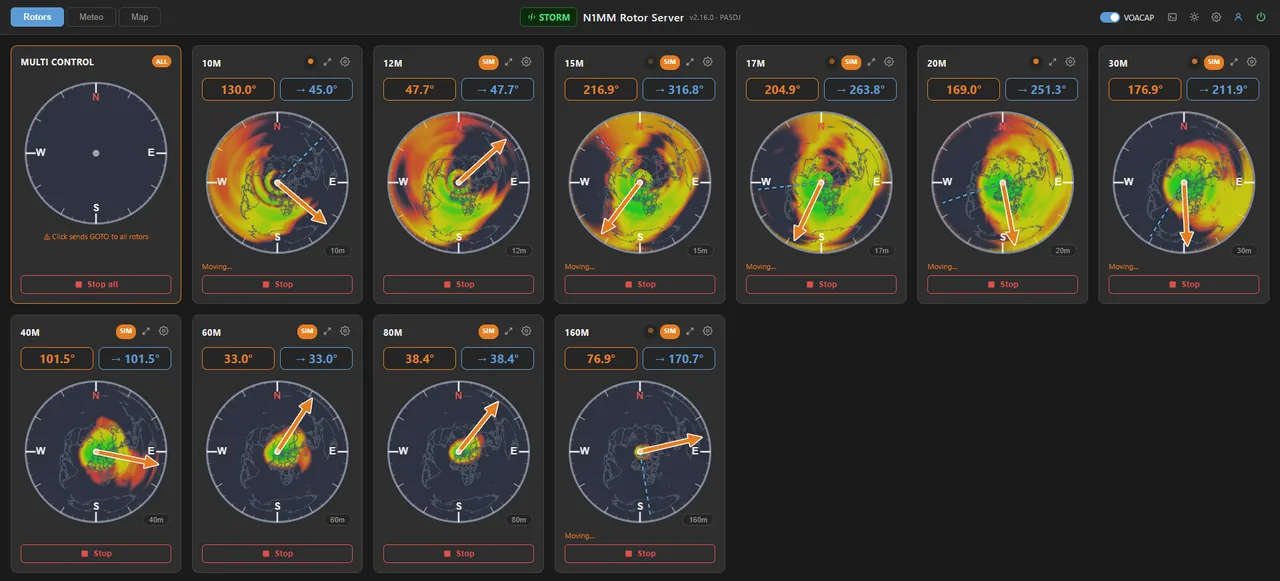
Control all your rotors from any browser — compass cards update in real time, each with its own live VOACAP propagation map for the antenna's band.

N1MM Rotor Server v2.16 — ten band rotors with live VOACAP propagation overlays under every compass, storm badge active, dark mode

What it does

Everything you need to control your rotors

A single binary that bridges N1MM Logger to your rotor hardware — with weather awareness built in. Runs on any Debian-based Linux system; a Raspberry Pi is a perfect fit.

🔄

Multi-Rotor Control

Control up to 16 rotors simultaneously over UDP. Each rotor runs on its own USB serial port with independent poll intervals.

📡

N1MM UDP Protocol

Receives XML rotor commands on port 12040 from N1MM Logger and broadcasts position back on port 13010 in real time.

🌪️

Storm Protection

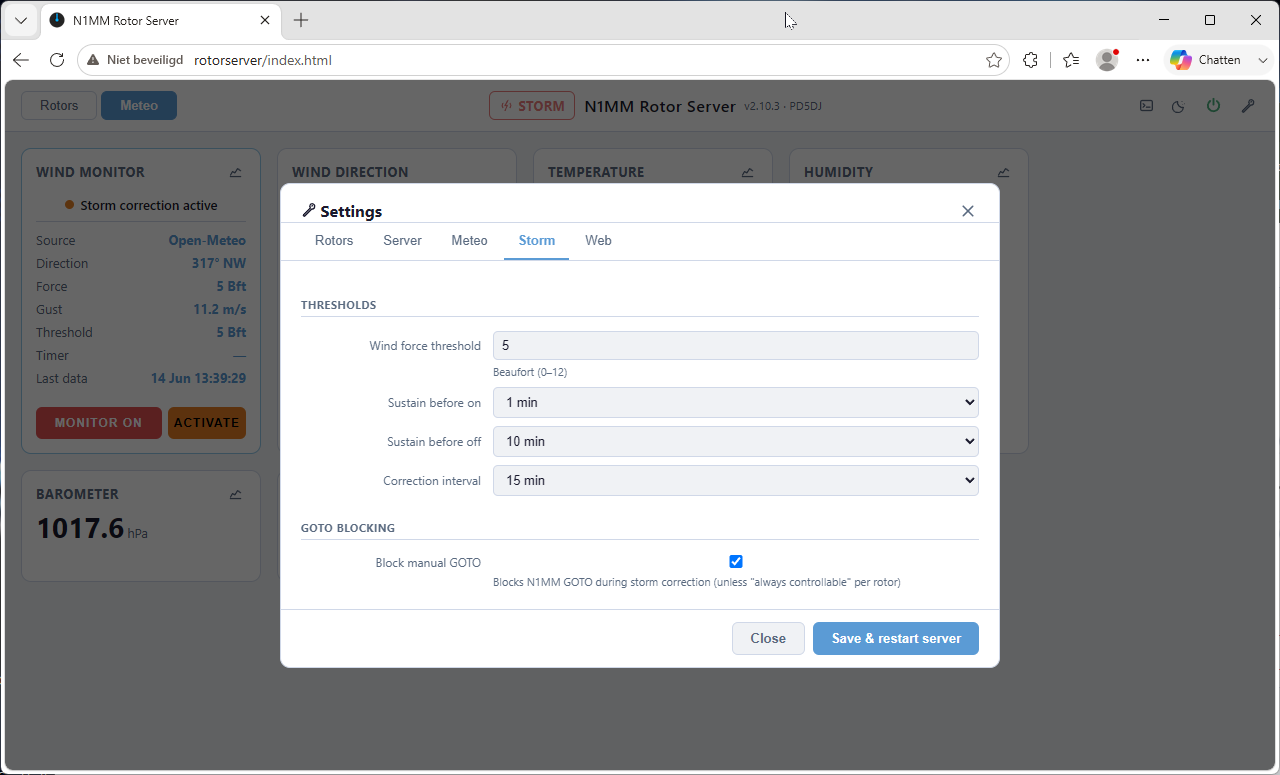
Monitors live wind speed. When the Beaufort threshold is exceeded, rotors are automatically parked to safe positions.

🌡️

Weather Monitoring

Fetches wind and meteo data from 4 online APIs or your own Ecowitt / serial / UDP weather station.

🖥️

Built-in Web UI

Live compass cards, antenna map with satellite view, wind rose, 48-hour meteo graphs, log viewer, and full config editor — all in the browser. Installable as an app (PWA) on your phone.

🌍

VOACAP Propagation Overlay

A live VOACAP coverage map for each antenna's band, projected around your station and drawn under the compass rose — see at a glance which directions are open. Public backend or fully self-hosted.

👥

User Accounts & Roles

Up to 8 accounts with User / Manager / Admin roles and fine-grained permissions. Temporary passwords are e-mailed automatically; "Remember me" keeps you logged in for 30 days.

📧

E-mail Notifications

SMTP notifications for storm events, wind-source switches, rotor connection changes, and server start — branded HTML mails with a one-click link to your dashboard.

🔌

USB Auto-Reconnect

Detects USB serial disconnections and reconnects automatically every 5 seconds — no intervention needed.

Web Interface

Monitor and control from any browser

The built-in web server runs on port 80, with optional HTTPS via a one-shot setup script. No app to install — open a browser on any device on your network, or install the dashboard as an app (PWA) on your phone.

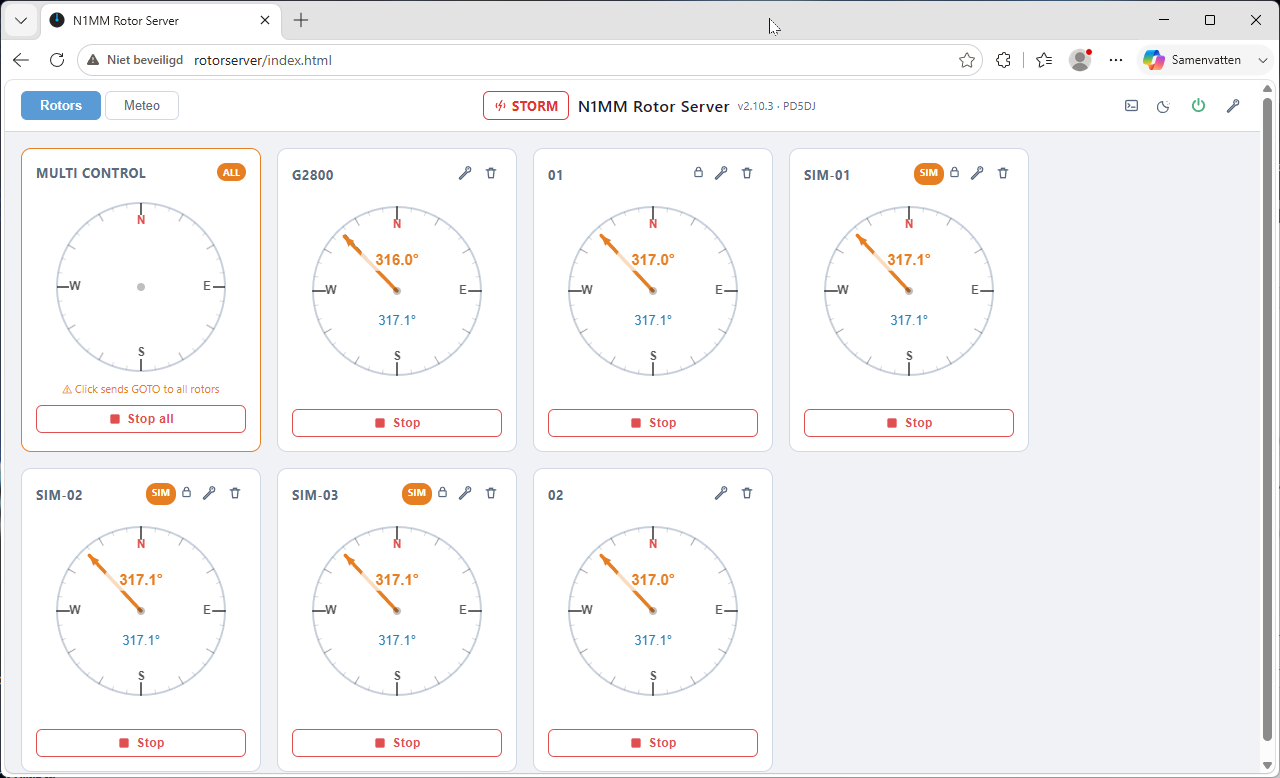
Main rotor compass view

Live Compass Cards

One compass card per rotor, updated in real time via Server-Sent Events. See current heading, target, and movement status at a glance — with the VOACAP propagation map for the antenna's band under the rose.

  • Click to open GOTO dialog
  • Double-click for instant GOTO
  • Fullscreen view per rotor — great on phones
  • Band chip cycles the overlay band on multi-band antennas
  • Multi-rotor card for simultaneous control
  • Card order freely arranged in Settings → Rotors
  • Storm override badge when protection is active
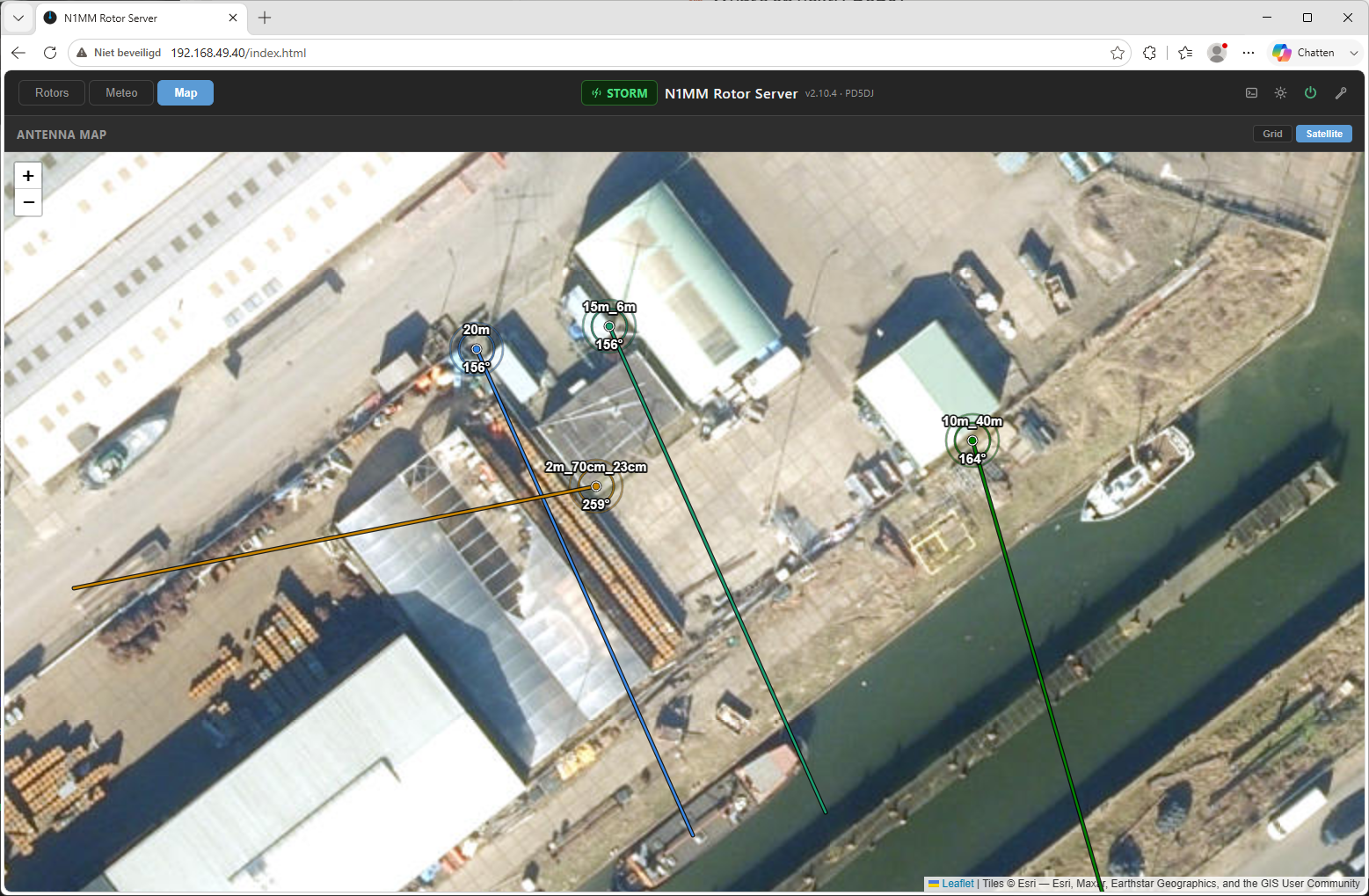
Antenna map — satellite view with live direction lines

Antenna Map

See all your antennas plotted on satellite imagery of your own QTH, each with a live direction line showing exactly where it points. Lines move in real time as the rotors turn.

  • Satellite view on Esri World Imagery
  • Offline grid view with meter scale and north arrow
  • Live heading label per antenna
  • Per-rotor GPS position and line length
  • One distinct color per rotor
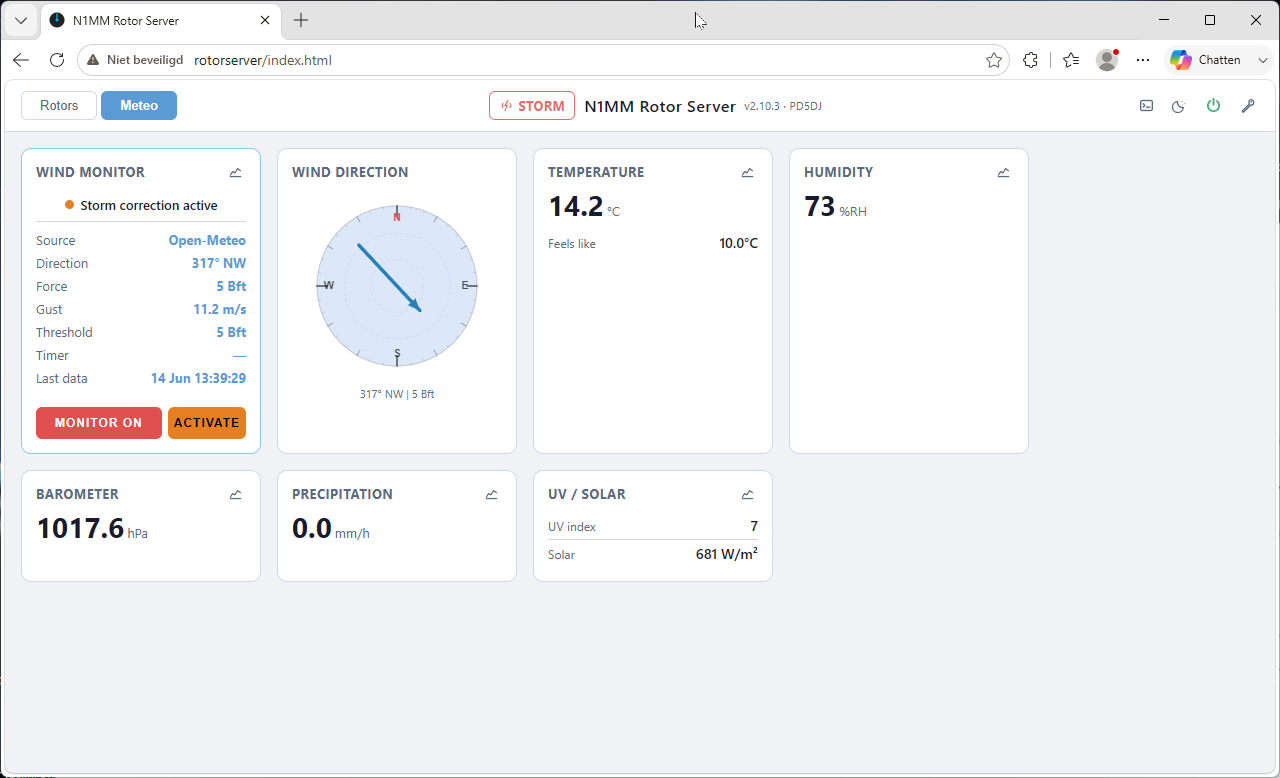
Meteo and wind monitoring

Wind & Meteo Dashboard

Real-time wind speed (Beaufort), direction, gusts, temperature, humidity, pressure, UV index, and solar radiation.

  • Wind rose with live direction indicator
  • Beaufort scale display
  • Storm threshold indicator
  • Extended meteo cards (when available)
  • Click any card for 48-hour history graph
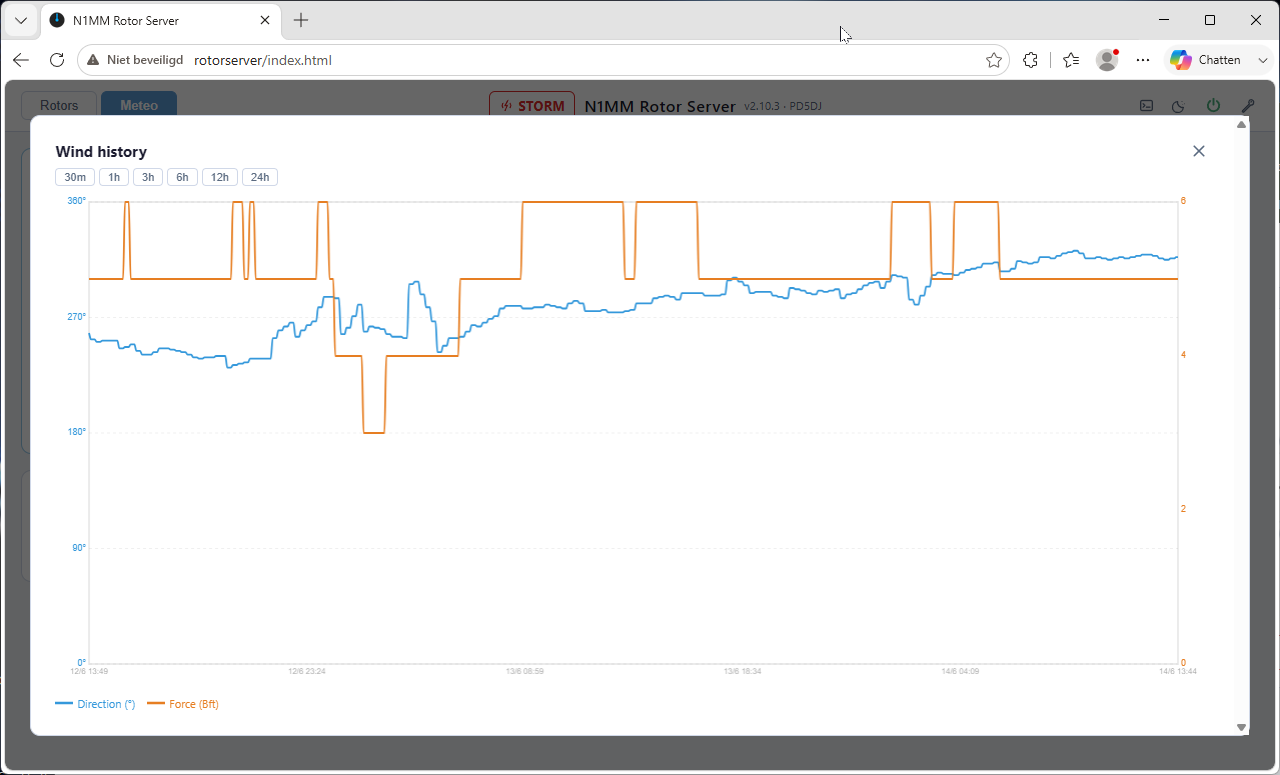
48-hour meteo history graph

48-Hour History Graphs

Click any meteo value to open an interactive history chart. Zoom from 30 minutes to 48 hours with a horizontal scrollbar.

  • Wind speed, direction, gusts
  • Temperature & feels-like
  • Humidity, pressure, precipitation
  • UV index & solar radiation
  • Zoom levels: 30m · 1h · 3h · 6h · 12h · 24h · 48h
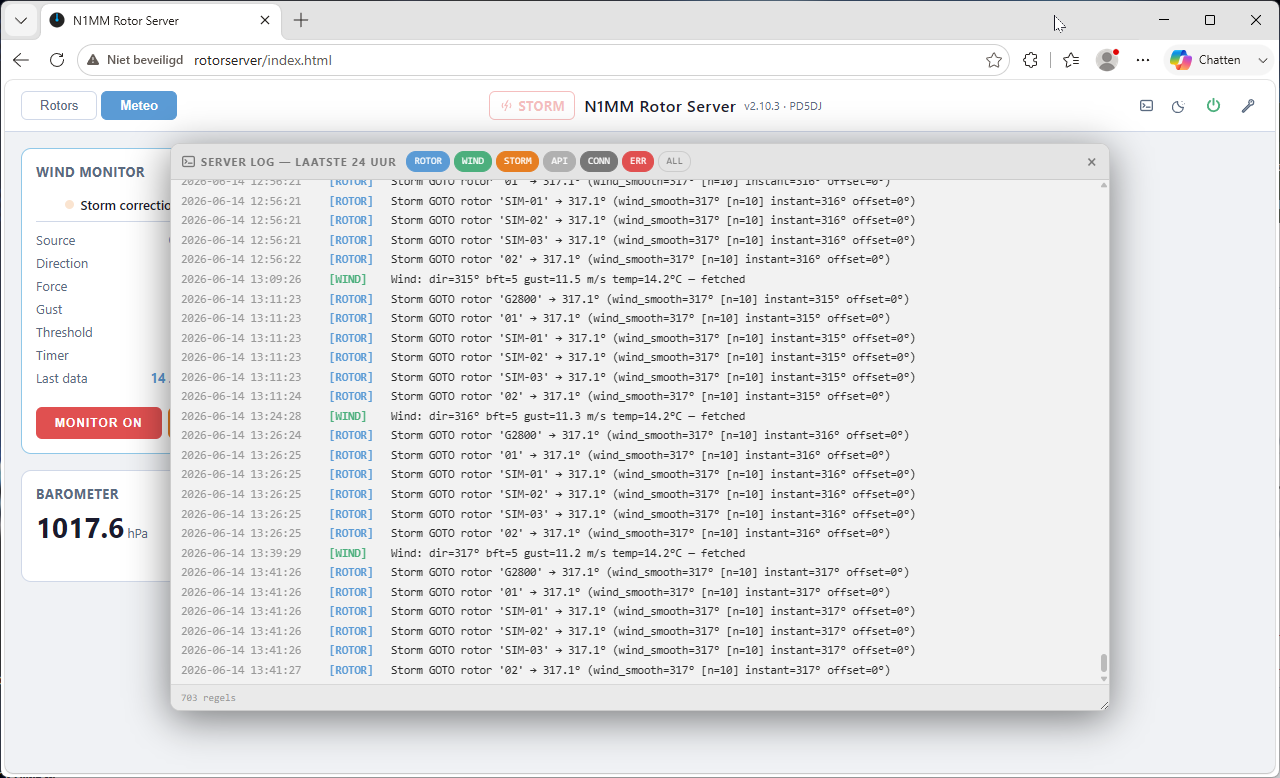
Log viewer panel

Live Log Viewer

Draggable floating panel shows the server log in real time. Filter by event type and auto-scroll to new entries.

  • Filters: ROTOR · WIND · STORM · API · CONN · ERR
  • Color-coded entries
  • Auto-scroll with "▼ N new" badge
  • Red dot on button when errors are present
  • 24-hour rolling window

Configuration

Configure everything in the browser

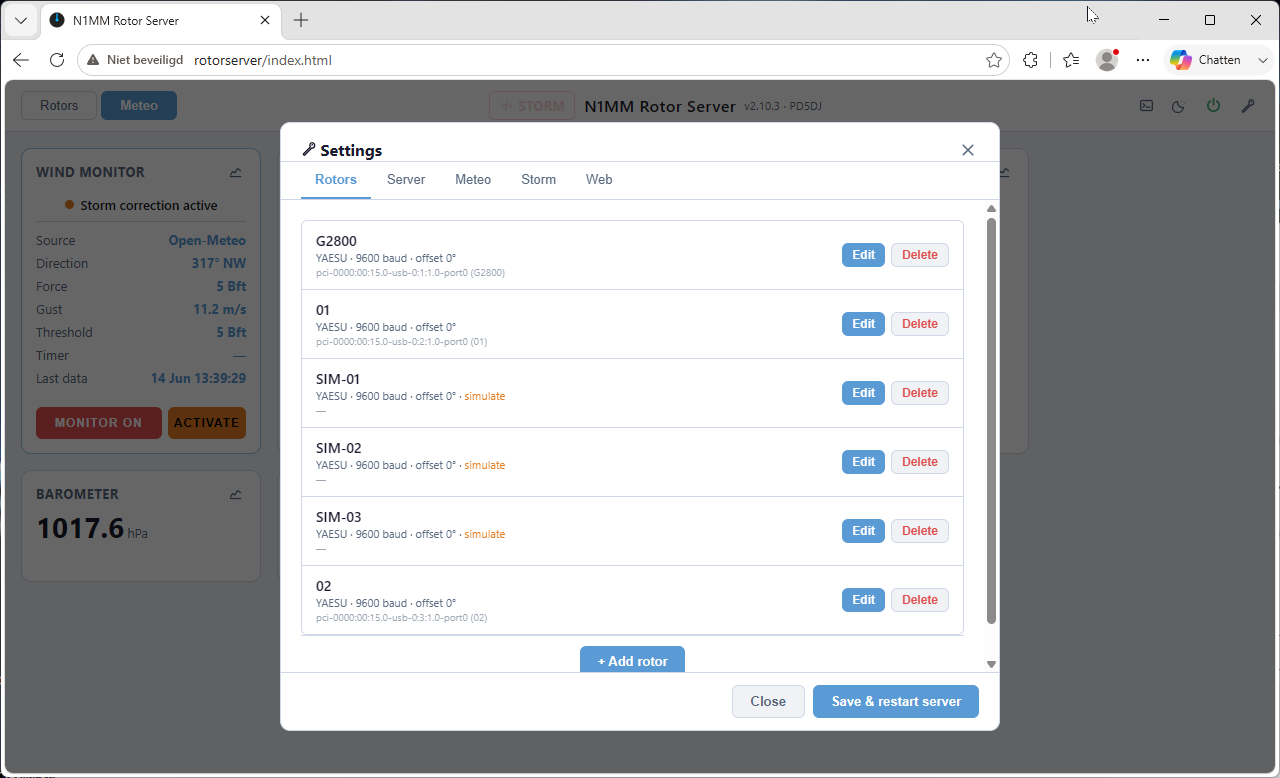
No SSH required for day-to-day changes. The settings panel covers rotors (with VOACAP bands and card order), wind, storm, server, web, user accounts, and SMTP mail.

Rotor settings Rotor Settings

Per-rotor: name, USB port, protocol, baud rate, offset, storm behaviour, return timer.

Storm settings Storm Settings

Beaufort threshold, sustain & release timers, re-send interval, manual control block.

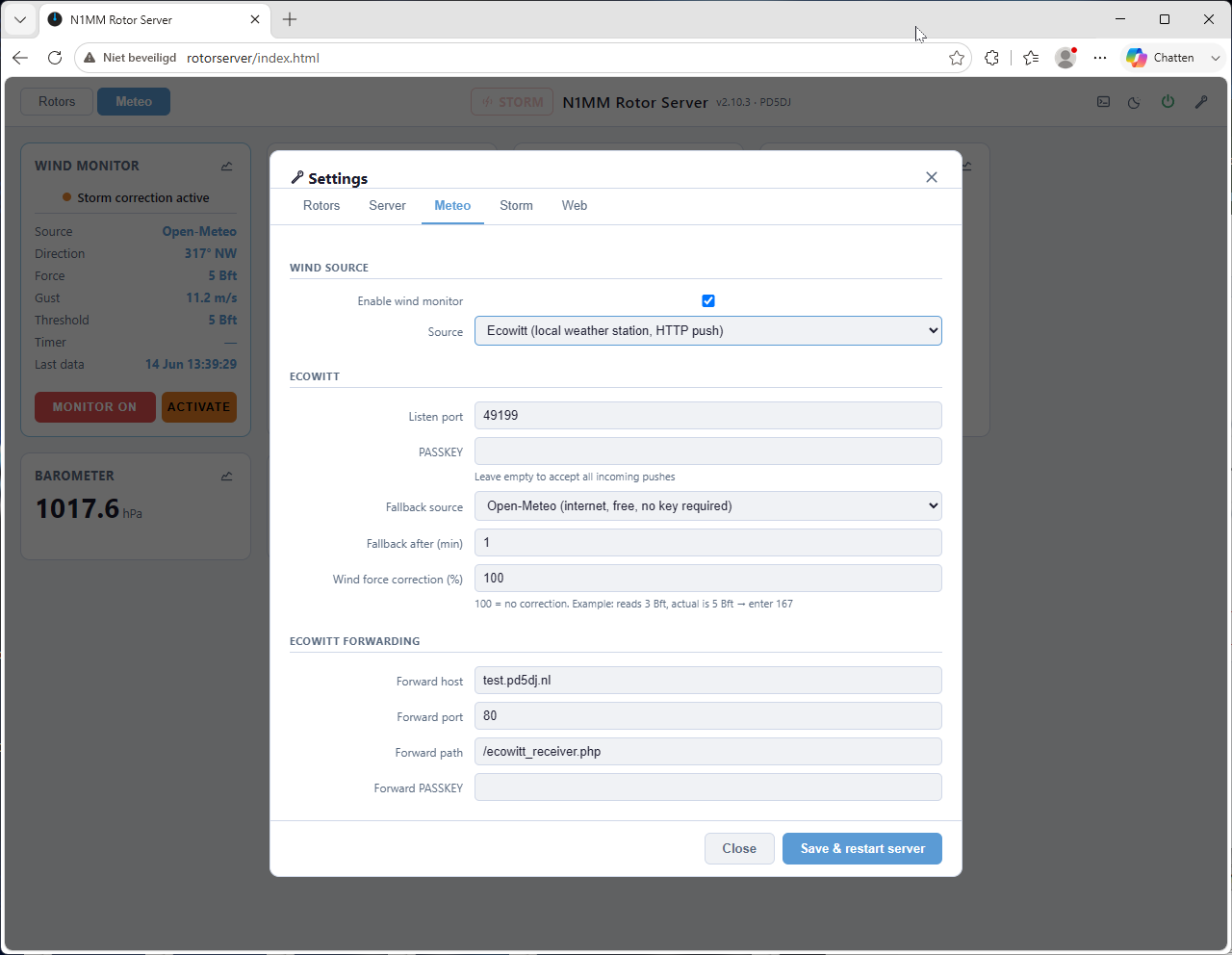
Meteo / wind settings Wind / Meteo Settings

Wind source selection, GPS coordinates, API keys, Ecowitt port and passkey, serial sensor.

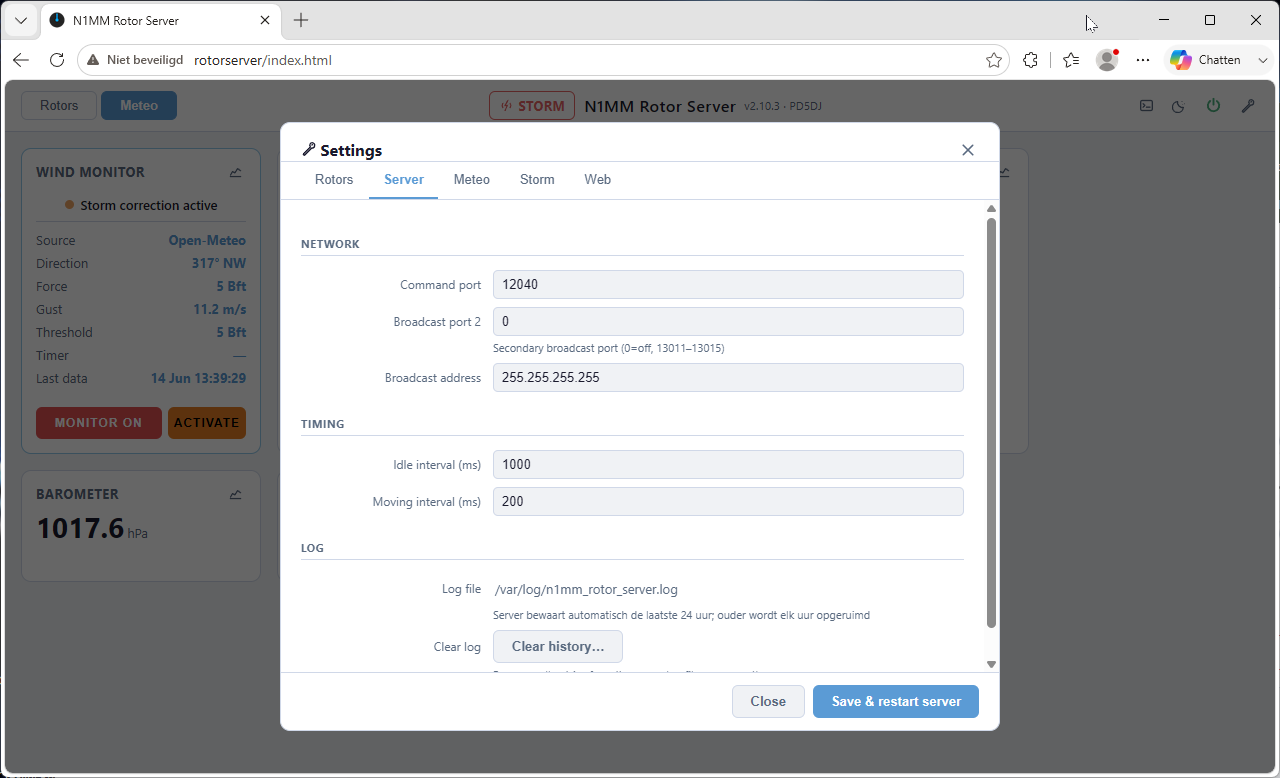
Server settings Server Settings

UDP ports, broadcast addresses, poll intervals, log file path, web port, passwords.

Hardware Support

Works with your existing rotor controllers

Connects to rotor controllers via USB serial. Currently two protocols are implemented: Yaesu GS-232A/B (supported by Yaesu G-series and many compatible third-party controllers) and Prosistel CBOX 2003. The protocol is selected per rotor in the settings — no configuration files involved.

Get Started

Ready to set up N1MM Rotor Server?

Read the documentation for installation steps, or explore all features in detail.

Read the Docs All Features